1. Get the template
- Cost
- Free, no sign-up
- Time
- Ten minutes to make it yours
- Suits
- Anyone quoting by text or off the top of their head
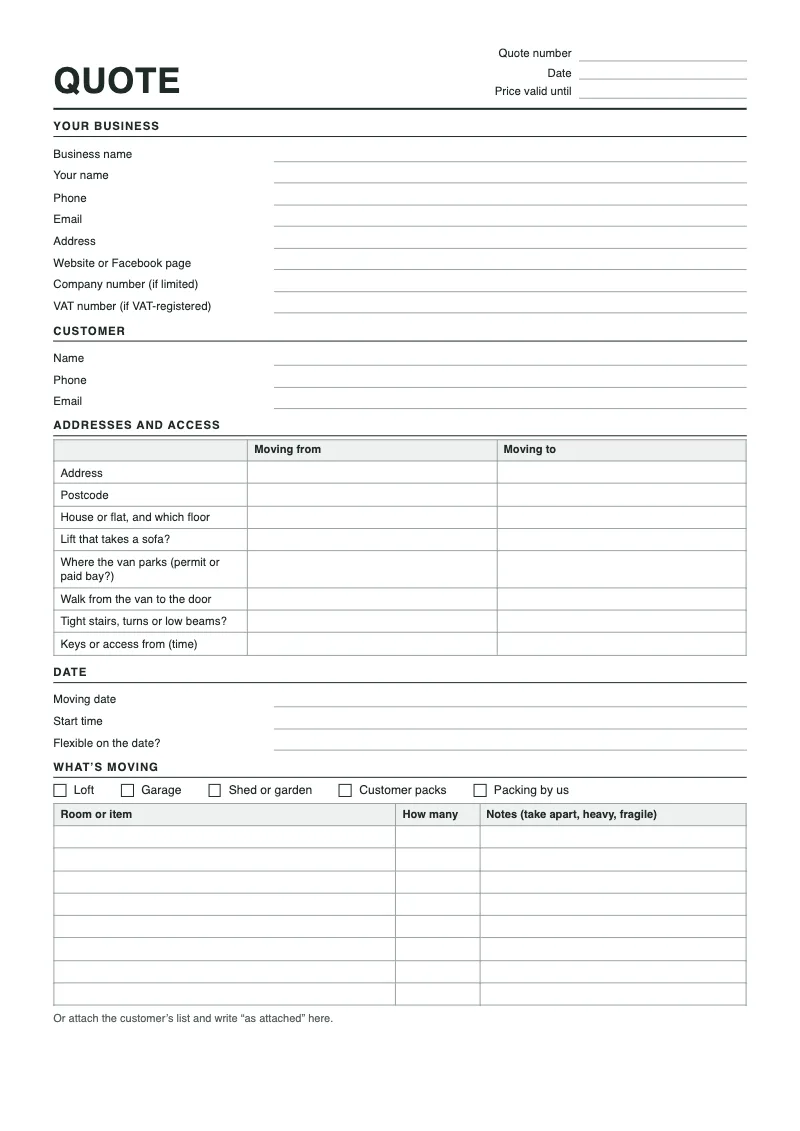
Two versions of the same quote. The PDF is for printing: take a few to a survey and fill them in by hand at the kitchen table. The Word file is for typing: it opens in Word, Google Docs and Pages, so you can fill it in on a laptop or your phone and send it as a PDF.
Make it yours once. Put your business name in exactly as customers see it on Facebook and Google, then your phone number, email and your cover. Save that as your master copy and never type over it. Every new quote starts as a copy of the master.
Give every quote a number, even if it’s just the date and the customer’s surname. When someone rings in March about “the quote you sent”, you want to find it in ten seconds, not scroll back through a month of WhatsApp.
Nothing on it is fancy, and that’s on purpose. A clear quote with the list and the access written down beats a lovely-looking one that leaves the shed off.
- Download the PDF
Two A4 pages. Print it and fill it in by hand.
- Download the Word file
Opens in Word, Google Docs and Pages. Type straight into it.